Statistical Applications
- SAS– statistical analysis; platforms: Windows & Linux, Web-based interfaces options available (either SAS OnDemand through SAS Institute, or our Cloud*)
- SPSS 32– statistical analysis; platforms: Windows, MacOS, & Cloud*
- AMOS – path analysis; platform: Windows
- R and RStudio– statistical analysis; platforms: Windows, Linux & MacOS, Cloud***
- Python – programming and statistical analysis: Windows, Linux & MacOS, Cloud***
- JMP Pro – statistical analysis, visualization, data exploration: Windows & MacOS, Cloud*
- get it here from the vendor: https://jmp.com/student
- ATLAS.ti– qualitative statistics; platforms: Windows & MacOS (limited licenses, for grad students who need access, their requests should come from their Major Prof./PI.)
*available to run from AWS Appstream at https://myapps.microsoft.com Contact christianvye@uri.edu if you do not find it there.
*** R is available (for teaching/class-use only) to run from RStudio Workbench at https://rstudio.uri.edu, Python is available to run from JupyterHub at https://jupyter.uri.edu – contact cshen@uri.edu if you need a login for those portals
Virtual Labs of Windows 11 machines can be set up. Contact Chi Shen cshen@uri.edu for more information.
For requesting a seat for licensed software (SAS, SPSS, AMOS, ATLAS.ti, Geneious, Overleaf), go to our distribution portal: https://statfiles.uri.edu/start
Consultations
We provide consulting on using statistical tools and experimental design. Make an appointment with the Graduate Assistant at 874-2815
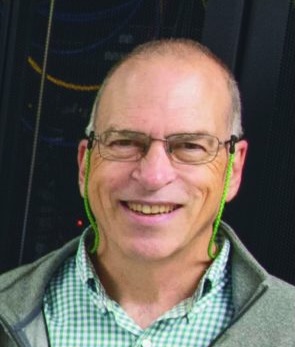
Christian Vye
Advanced Application Specialist
Carothers Library, Room 227
Kingston, RI 02881
401.874.2966
christianvye@uri.edu

Shaghayegh ‘Shay’ Sahraei Joubani
Student Statistical Consultant and Trainer
Carothers Library, Room 227
401.874.2815
s.sahraei@uri.edu
Other Advanced Applications
- MathWorks: MATLAB and Simulink– mathematics; platforms: Windows, Linux & MacOS, Web-based interface option available, MATLAB Online, and Cloud*
- Geneious– genetic sequencing; platforms: Windows, Linux & MacOS (a limited number of licenses, for grad students who need access, their requests should come from their Major Prof./PI.)
- Overleaf Pro – LaTeX editing software for Faculty; Web-based interface (currently limited to Faculty/Research Staff.)
- Qualtrics – survey software; Cloud*
- SAS Viya for Learners – visual analytics, visual statistics, and data science
Training
We provide (or have access to) training through Zoom, in-person, and online. Here are a few of the online courses available:
- Fall 2026 Workshop Program Announced
The fall 2026 workshop program brings together sessions on research computing, AI tools, data analysis, statistics, bioinformatics, and SBDC training. The program runs from September through November and includes Zoom, hybrid, and in-person sessions.
The schedule below was cross-checked against the source program calendar and the detailed workshop sheet. For past session recordings and related materials, visit ITS Research Training.
Fall 2026 Workshop Schedule
Date Time Workshop Presenter(s) Format / location Registration / link Tuesday, September 15, 2026 1:00-2:30 PM Introduction to Unity Farhang Naderi Zoom Register / join Monday, September 21, 2026 1:00-2:00 PM Bioinformatics: sequencing data preprocessing Leann, Cecile Zoom Register / join Tuesday, September 22, 2026 10:30-11:30 AM R: Introduction Shay Sahraei Zoom
Recorded and posted to ITS Research TrainingRegister / join Friday, September 25, 2026 12:00-1:30 PM AI Tools: For Researchers Aila Chin In person TBD and Zoom Register / join Thursday, October 1, 2026 10:00-11:30 AM OpenCode/Codex Borano In person TBD and Zoom Register / join Friday, October 2, 2026 12:00-1:30 PM AI Tools: Programming Aila Chin In person TBD and Zoom Register / join Tuesday, October 6, 2026 10:30-11:30 AM SPSS: Beginner’s Course Shay Sahraei Zoom
Recorded and posted to ITS Research TrainingRegister / join Thursday, October 8, 2026 10:00-11:30 AM Prompt Engineering Borano In person TBD and Zoom Register / join Friday, October 9, 2026 12:00-1:30 PM AI Tools: Video & Music Aila Chin In person TBD and Zoom Register / join Tuesday, October 13, 2026 1:00-2:30 PM Introduction to Unity Farhang Naderi Zoom Register / join Wednesday, October 14, 2026 9:00 AM-12:00 PM SBDC Training Indrani, Liam Welcome Center Details forthcoming Friday, October 16, 2026 12:00-1:30 PM AI Tools: Image & Art Aila Chin In person TBD and Zoom Register / join Monday, October 19, 2026 1:00-2:00 PM Bioinformatics: sequence assembly Leann, Cecile Zoom Register / join Tuesday, October 20, 2026 10:30-11:30 AM R: Putting Data Shay Sahraei Zoom
Recorded and posted to ITS Research TrainingRegister / join Wednesday, October 21, 2026 9:00 AM-12:00 PM SBDC Training Indrani, Liam Welcome Center Details forthcoming Friday, October 23, 2026 10:00-11:30 AM OpenCode/Codex Borano In person TBD and Zoom Register / join Friday, October 30, 2026 12:00-1:30 PM AI Tools: Writing Aila Chin In person TBD and Zoom Register / join Tuesday, November 3, 2026 10:30-11:30 AM SPSS: Beginner’s Course Shay Sahraei Zoom
Recorded and posted to ITS Research TrainingRegister / join Friday, November 6, 2026 10:00-11:30 AM Prompt Engineering Borano In person TBD and Zoom Register / join Tuesday, November 10, 2026 1:00-2:30 PM Introduction to Unity Farhang Naderi Zoom Register / join Monday, November 16, 2026 1:00-2:00 PM Bioinformatics: variant calling Leann, Cecile Zoom Register / join Tuesday, November 17, 2026 10:30-11:30 AM R: Exploratory Data Analysis Shay Sahraei Zoom
Recorded and posted to ITS Research TrainingRegister / join Workshop Details
Introduction to Unity
This monthly workshop walks participants through getting started on Unity, a high-performance computing cluster hosted at the Massachusetts Green High Performance Computing Center and available to URI researchers. Geared toward new users, the session covers requesting and setting up a Unity account, connecting to the cluster over SSH, navigating the filesystem and understanding storage and permissions, loading software modules, and submitting and monitoring jobs with SLURM. Attendees will also learn where to find documentation and how to reach the Research Computing team for further help. While the material is aimed at newcomers, the session is adapted to the experience level of those attending, so returning users are welcome to bring specific questions about their own workflows.
Prompt Engineering
This workshop introduces participants to the art of communicating effectively with large language models. Attendees will learn the fundamentals of prompt structure, including how to write clear instructions, provide context, and use examples to guide model output. The workshop covers key concepts such as context and context windows, and how understanding these limitations can improve the quality and relevance of AI-generated responses. Participants will also explore techniques like chain-of-thought prompting, role assignment, iterative refinement, and strategies for reducing ambiguity and hallucination. Through hands-on practice, attendees will gain skills for crafting effective prompts for academic and personal applications.
OpenCode/Codex
This workshop offers a hands-on introduction to OpenCode, a University-affiliated gateway to large language models. Participants will learn how to sign up for access and set up OpenCode locally, with guidance on using it across multiple environments, including the desktop app, terminal, and VS Code extension. The session will walk through configuration and setup step by step, followed by guided use-case demonstrations that participants can follow on their own devices. Attendees will leave with a working local setup and practical experience using OpenCode.
AI Tools
AI Tools provides a comprehensive introduction to artificial intelligence for students and researchers across disciplines. Sessions introduce tools that can enhance academic work, research skills, study habits, and creativity. Through interactive sessions and hands-on activities, participants will gain practical knowledge for using AI tools in academic and personal work.
Bioinformatics
This series is intended for anyone using bioinformatics software on the Unity high-performance computing platform. Across three sessions, participants will explore software available on Unity to preprocess sequencing data before analysis, perform sequence assembly, and conduct variant calling. Each workshop includes a demonstration on how to use these tools efficiently.
R Programming
This workshop series provides a beginner-friendly introduction to R and RStudio for data analysis and visualization. Participants will learn how to import data, perform basic data manipulation, create simple graphs, and run introductory statistical analyses. Through hands-on exercises, attendees will gain foundational skills for using R in coursework and research.
SPSS
This workshop introduces participants to IBM SPSS Statistics for data analysis. Attendees will learn how to install and license SPSS, manage datasets, perform basic statistical analyses, and interpret results. By the end of the session, participants will have the confidence to use SPSS for coursework, research, and everyday statistical tasks.
SBDC Training
SBDC training sessions are scheduled as in-person workshops at the Welcome Center.
- Spring ’26 semester workshops
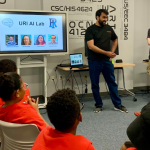 The details of our Spring ‘26 semester workshops appear below. These are open to faculty, staff, and students and are totally free. https://docs.unity.uri.edu/news/2026/01/uri-spring-26-workshops/ You can also find these on the URI events calendar (and subscribe): https://events.uri.edu/group/aiThis semester we have a new workshop on “Quantum Algorithms for Engineers and Scientists”. PS: Previously recorded versions are available here: https://its.uri.edu/research-training/
 - R, Python, SAS, SPSS, Unity, Bioinformatics and more workshop recordings available!
 Our workshop program for the semester has wrapped up. Here you can find the recordings of all the workshops we ran including R, SAS, SPSS, Python, Bioinformatics, Unity and others: http://its.uri.edu/research-training
 - R Basics CourseThis one-time Beginner’s Course lays the groundwork for understanding R and R-Studio. This course will go over the basics of the R-Studio interface and will introduce R coding skills and an overview of data manipulation. R Basics
- SPSS Beginner CourseThis one-time Beginner Course will help build a foundation for understanding SPSS. This course will cover the basics of SPSS, and introduce students to both the syntax and point/click features SPSS offers. SPSS Beginner
- SAS Beginner Course VideoThis one-time Beginner’s Course will lay the groundwork for understanding SAS. This course will go over the basics of the SAS interface, and will introduce you to inputting data into the program. It finishes up with showing basic statistical analysis including regression, parametric tests, and ANOVA. SAS Beginner’s Course Spring 2021
- ATLAS.ti Training Content
- R Intermediate Course 1
This short course will build on the already established knowledge of R programming, and will introduce students to higher-level statistical programming. This will include linear models and multivariate analysis. Within linear models, there will be explanations of simple and multiple linear regression, estimation and inference, categorical variables, and predictions. The multivariate analysis will focus on Principal Component Analysis (PCA) and clustering.
R Intermediate Course Video - R Beginner’s Course 1
This one-time Beginner’s Course lays the groundwork for understanding R and R-Studio. This course will go over the basics of the R-Studio interface and will introduce R coding skills and an overview of data manipulation.