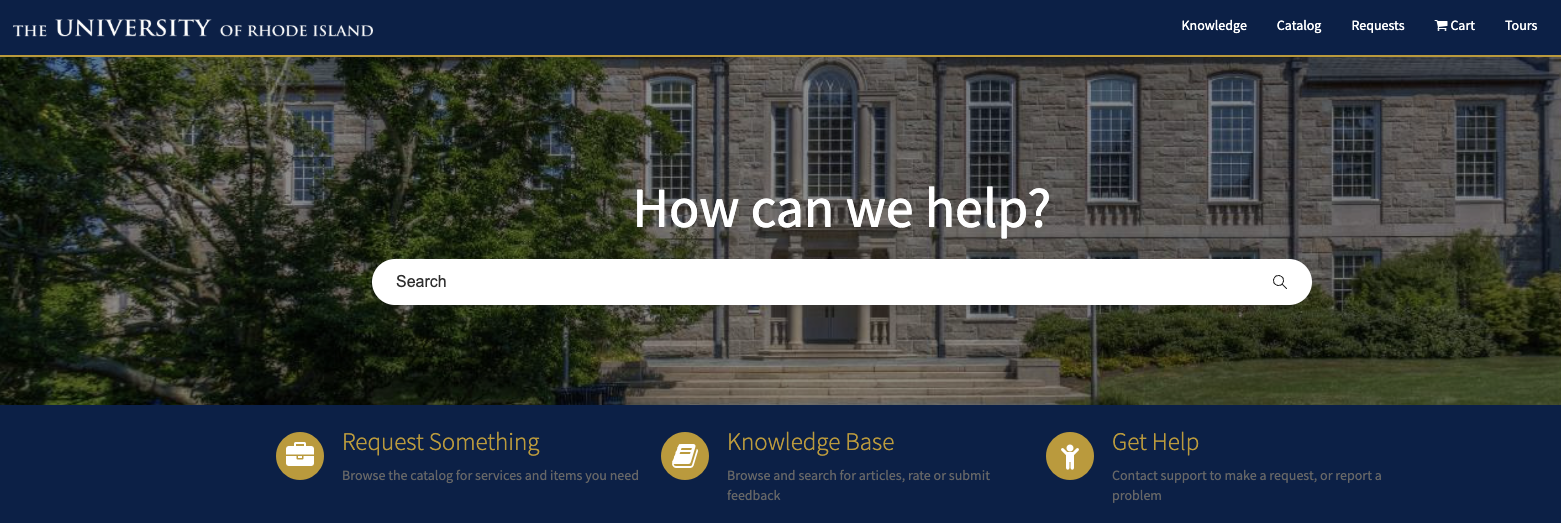
The URI ITS Service Desk has been using ServiceNow since Fall 2022 for creating and logging incidents. For most IT issues, employees and end users can contact the Service Desk, but did you know you can also use the ServiceNow Service Portal?

What is the Service Portal?

The Service Portal is a self-service system that allows employees to request IT support and track their requests through a single platform that is available to users 24/7. Instead of calling the help desk or sending multiple emails, users can log into the portal to submit requests for common IT needs like password resets, software installations, or technical troubleshooting. The portal displays request status in real time, so employees know where their issue stands in the queue. Additionally, the portal includes a Knowledge Base with answers to frequently asked questions, which can help users resolve issues independently without needing to contact the IT department or the Service Desk.

How can I use the Service Portal?

  • Request Software/Hardware – “I need Adobe Acrobat installed on my laptop”
  • Report Issues – “My email isn’t working”
  • Request Access – “I need to request a new phone line for my new employee”
  • Track Incidents – “What’s the status of my incident?”
  • Get Help via Knowledge Articles – “How can I connect to Wi-Fi?”

Benefits of Service Portal

The Service Portal provides real benefits to improve service desk operations. Users spend less time waiting for support and more time being productive, while IT teams handle requests in a more organized and efficient manner. The transparency of the system where everyone can see request status and timelines.  It can benefit from fewer repeat problems, as the portal’s knowledge resources help employees find answers on their own and make IT resources accessible and transparent. The Service Portal improves efficiency since it can help people find answers on their own through helpful resources, common problems get solved quickly without adding to the workload. Overall, the portal creates a more reliable, predictable IT support experience that saves time and money while keeping the entire organization running more smoothly.

Make sure to check it out the next time you need assistance from URI ITS.

Service Portalhttps://rhody.service-now.com/sp

business office with icon of calculator and money checklist

The ITS Business Office manages the internal and external financial operations of URI’s Information Technology Services department. Responsibilities include budget oversight, payroll, contracts, monthly billing, and IT purchases and expenses. This office ensures smooth financial operations and compliance across all ITS-related business matters.

Get Help

For inquiries related to ITS finances, budgets, contracts, or other business matters, open a service request via the ITS Service Desk.

Executive Lead

Lidia Pierce

Technical Lead

Brian Chmielewski
bchmielewski@uri.edu

Support Team

ITS Administration
Business Office

Adobe Sign makes it easy for you to create, edit, collaborate, e-sign, and share PDFs, on any device.

Adobe Sign services is the electronic signature which speeds up the document signing process. Below, you’ll find answers to some of our most frequently asked questions.

URI Provides Access to the full suite for all faculty and staff. Students may access this service via lab computers both online and on computers located in various labs across departments.

Executive Lead

Robert Viens

Technical Lead

John Hawthorn
john.hawthorn@uri.edu

Support Team

ITS Community

About the Service:

Features

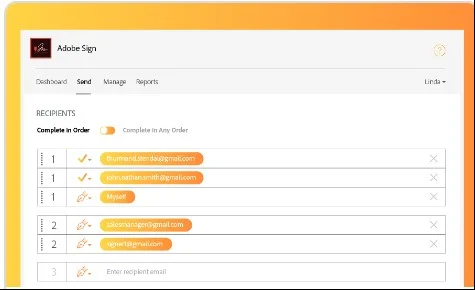
Adobe Sign provides a secure way to electronically obtain signatures, making it easier to record campus constituents acknowledgement of important documents requiring signature. With Adobe Sign you can easily send documents, request signatures, track and manage the signing process in one dashboard experience.

Adobe Acrobat is part of the creative cloud suite however the Adobe Sign digital signature solution is ancillary to the Adobe Cloud Suite. Adobe Sign is used to acquire a digital signature for important documents on the other hand Adobe Acrobat is used to create modify and edit PDF documents.

Access

Access is limited to only full time faculty and staff: to request access, either of the following will work: 1) submit an Incident Ticket through the ITS Help Desk for Adobe Sign requesting access, or 2) email John Hawthorn at john.hawthorn@uri.edu.

Support and Training

For all URI Senders and Administrators, training resources are provided at the time of onboarding. For all access to Adobe Sign Help and Training resources, go to https://helpx.adobe.com/support/sign.html. if you need assistance.

Get Help:


ServiceNow is approaching its second year at URI.  Live for Fall 2022 semester for ITS and Dining Services Help Desk incidents, a team of implementers has been rolling out both additional departments and services since then.  ServiceNow is now in by 75 work groups at URI across numerous departments for Incident Management, Request Management, Knowledge Articles and Problem Management.

Reaching beyond Incidents, ServiceNow requests, tasks, work groups and Dashboards have supported the IT Contract Review since it’s inception in early 2023.  The process allows faculty and staff to submit IT Security Reviews via the IT Contract Review web page as well as features for Strategic Procurement to submit for IT Contract Reviews as purchases are received. ServiceNow also provides leadership with detailed graphical reports on volume, time spent under review and outcomes for a day or over time.

New features of ServiceNow in 2024 include supporting the implementation of RhodyBuy for Incident reporting and tracking, upgrading the Service Portal to a new Portal provided by ServiceNow with additional engagement features, retooling the Knowledge Article process to streamline and encourage more and faster knowledge article publications, implementing IT Asset Management and expanding Change Management use.

We look forward to working with the URI community as we continue to sustainably integrate business process fulfillment across the university!

The ServiceNow Support Team

Mike Motta
Jennifer Hidalgo
Tina Yetman

As we conclude Fiscal Year 2024, the University of Rhode Island’s IT Contract Review team proudly reflects on a productive year. We meticulously reviewed over 288 IT contracts, ensuring alignment with state and university purchasing regulations, insurance requirements, and IT policies.

In November, the Vice President of Administration and Finance released updated guidelines clarifying the contract review and approval process. In response, the IT Contract Review site was updated to reflect this simplified process, making it more user-friendly and efficient.

We also launched a new resource for ITS faculty and staff looking to procure IT products by providing the long list of applications which have already been through a security review. This new resource allows IT owners to quickly identify vetted and approved products by IT security, streamlining the contract review process.

We welcomed Associate General Counsel Leah Zaborski as our new IT liaison in the Office of General Counsel (OGC). Additionally, we’ve collaborated with the Office of Enterprise Risk Management and their new IT liaison, Daniel Keating, to establish business rules and criteria that simplify the identification and reusability of IT insurance determinations and requirements.

This year, the IT Contract Manager has been working closely with the Strategic Procurement team on the rollout of RhodyBuy, our new eProcurement system powered by Jaggaer. RhodyBuy will centralize contract lifecycle management, offering enhanced visibility, tracking, and efficiency.

Looking ahead to FY 2025, we are eager to continue our efforts and collaborate with IT owners across the university to provide cutting-edge IT services and products. We are also focusing on onboarding AI and managing the new legal requirements tied to those contracts.

We hope everyone enjoys their summer and looks forward to another successful year!