sparkle icon to indicate generative AI

The University of Rhode Island Information Technology Services (URI ITS) provides support and guidance for the effective and responsible use of generative artificial intelligence (AI) tools across teaching, research, and administrative work. Our goal is to help faculty, staff, and students use AI to enhance productivity, creativity, and learning while maintaining ethical and secure practices.

Our approach emphasizes accessibility, data protection, and informed use. Through training, resources, and community engagement, we help users understand both the potential and limitations of AI technologies.

By providing structured guidance and fostering responsible innovation, URI ITS empowers the university community to integrate generative AI thoughtfully—enhancing collaboration, efficiency, and discovery across disciplines.

Executive Lead

Karen Lokey

Technical Lead

Karen Lokey
karen_lokey@uri.edu

Support Team

ITS Innovation

About the Service:

Features

Generative AI refers to technologies that create new content—such as text, images, and data visualizations—based on patterns learned from large datasets. Unlike search engines, which retrieve existing information, generative AI produces original responses. Because these outputs are newly generated rather than sourced from specific references, users should always evaluate them critically before use.

Finding URI AI Tools

You can easily explore approved Generative AI (GenAI) tools available to you based on your role at the University of Rhode Island. 

  1. Go to: https://its.uri.edu/services/
  2. Browse or sort services:
    • Use the A-Z option if you are looking for a specific service by name.
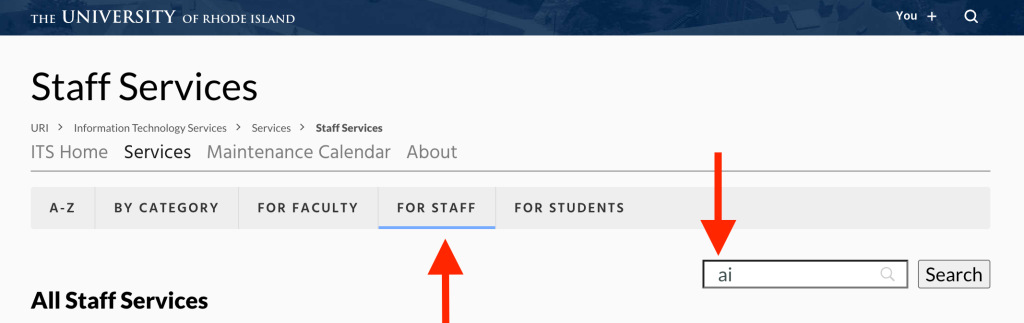
  3. Filter by role:
    • You can also select your role (for example, faculty, student, or staff) to see tools and services relevant to you. 
a filter selecting "for staff" and listing "ai" in the search window
  1. Search for AI tools: 
    • Within your role, use the search bar to type “AI.” 
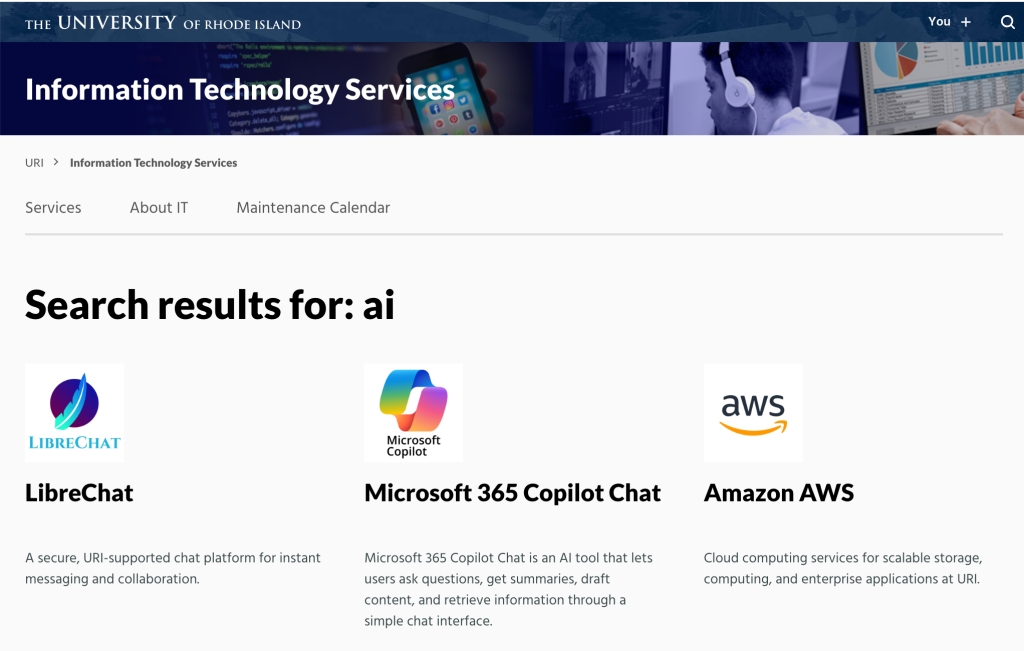
    • This will display service pages for AI-related tools vetted for use at URI. 
  2. View details: 
    • Click on the service name to open its page. 
search result for AI tools showing links to LibreChat, Microsoft 365 Copilot Chat, and Amazon AWS

Each page includes details about the tool’s features, access instructions, and available support and training resources.

Support and Training

Training resources are available in several formats. Documentation and guides can be found on individual support pages, and a variety of workshops are offered across campus throughout the year. These sessions focus on practical skills and real-world examples of how AI can assist with teaching, research, and administrative work.

We also share use cases, which are simple examples of how generative AI can help accomplish specific goals, such as improving writing, analyzing data, summarizing content, or generating new ideas.

Resources:

Recent news about a legal decision involving The New York Times and OpenAI offers a timely reminder for all of us: be intentional with the information you share when using artificial intelligence (AI) tools such as ChatGPT. 

The New York Times recently secured a court order requiring OpenAI to retain ChatGPT logs that users had deleted. While this legal outcome is unlikely to significantly change the broader AI safety landscape, it underscores a critical point: What you enter into AI platforms may not be fully erasable. 

What Does This Mean for You? 
When using AI tools: 

  • Avoid entering sensitive or confidential information unless you are confident it is safe and appropriate to do so.
  • Assume persistence: Even if a platform offers deletion options, there may be circumstances where the data is retained or recoverable.  
  • Stay informed about your organization’s guidance, privacy policies, and best practices when using generative AI tools in your work or studies. 

Helpful Links 

If you have questions or would like guidance on responsible AI usage, please visit the Responsible Use of AI at URI resources page.