
Generative AI tools like LibreChat and Microsoft Copilot can help you learn, teach, create, and work more efficiently. This guide offers practical ways to use AI responsibly across academics and campus operations. Whether you are reviewing documents, designing lessons, supporting a project, or generating new ideas, this page will help you get started.
AI Best Practices at URI
These quick tips apply to all users. They will help you use AI tools effectively while protecting privacy and supporting URI’s academic and ethical standards.
- Be Specific: Clear prompts produce more helpful results. Include your role, task, and goal.
- Check Accuracy: Always verify facts and sources. AI may give incorrect or biased information.
- Work Iteratively: Use AI like a collaborator. Ask for drafts, options, or revisions, and then apply your judgment.
- Protect Privacy: Do not enter student data, passwords, or confidential university content.
- Cite If Needed: If AI contributes to your work, follow citation or attribution guidelines provided by your instructor or department.
Need help getting started with AI? Visit the Generative AI at URI page, review the Ethical Use of AI Guidelines, or talk to your instructor, supervisor, or IT support team.
Continue below to see AI use examples for students, faculty, and staff.
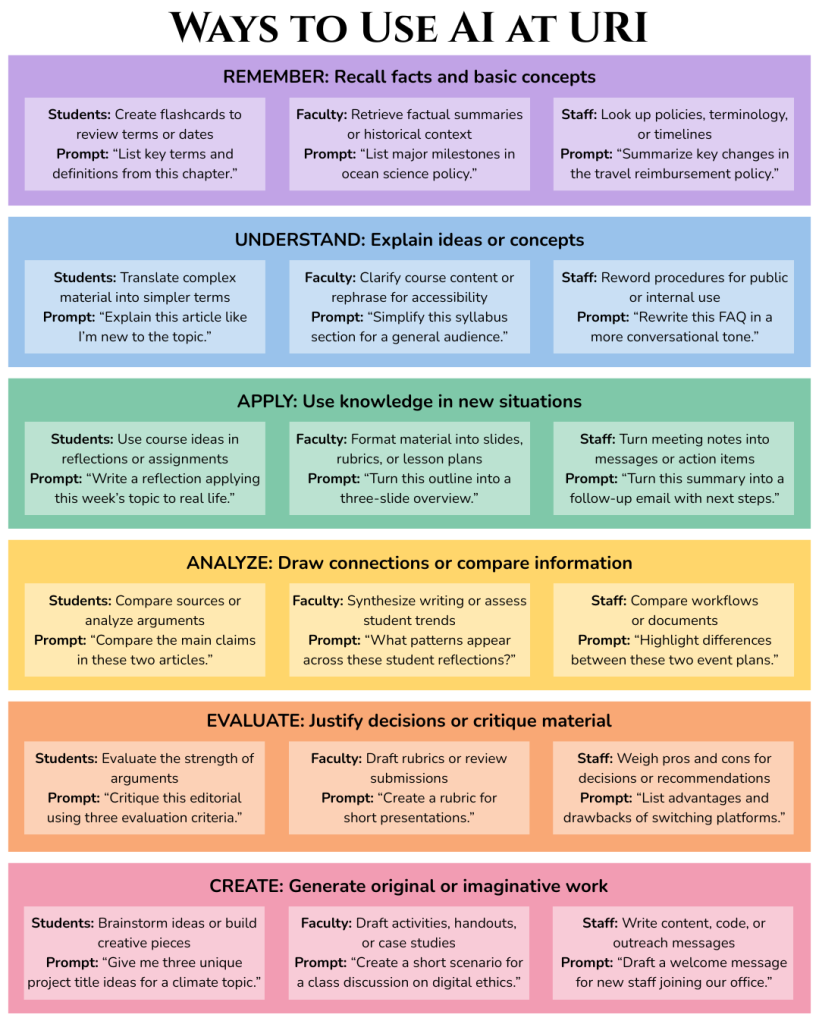
Download this guide or read the examples below:
REMEMBER
Recall facts and basic concepts
Students:
▸ Create flashcards to review foundational terms or vocabulary
▸ Prompt: “Make a list of key terms and definitions from my biology study guide.”
Faculty:
▸ Retrieve factual summaries or lists for quick reference in lectures
▸ Prompt: “List important dates and figures from the Harlem Renaissance.”
Staff:
▸ Look up policies, terminology, or historical milestones in higher education
▸ Prompt: “Summarize major milestones in URI’s sustainability initiatives.”
UNDERSTAND
Explain ideas or concepts
Students:
▸ Translate difficult academic readings into simpler language
▸ Prompt: “Explain this chemistry lab procedure like I’m a first-year student.”
Faculty:
▸ Clarify complex research concepts for student handouts or presentations
▸ Prompt: “Reword this section of my syllabus to be more student-friendly.”
Staff:
▸ Summarize technical processes or explain departmental procedures
▸ Prompt: “Simplify this IT policy explanation for a general audience.”
APPLY
Use knowledge in new situations
Students:
▸ Use class knowledge to draft assignments, lab reports, or reflections
▸ Prompt: “Based on what I learned in class, help me write a reflection on group collaboration.”
Faculty:
▸ Use AI to format content into slides, lesson plans, or rubrics
▸ Prompt: “Turn this lecture outline into a 3-slide summary for class.”
Staff:
▸ Convert meeting notes into emails, agendas, or task lists
▸ Prompt: “Turn these department meeting notes into a draft email with key takeaways.”
ANALYZE
Draw connections, compare, question, critique
Students:
▸ Analyze texts, data, or arguments in assignments
▸ Prompt: “Compare the main arguments in these two articles and list similarities/differences.”
Faculty:
▸ Examine student writing or synthesize academic sources
▸ Prompt: “Analyze these student responses for patterns in misunderstanding.”
Staff:
▸ Compare documents, workflows, or reports
▸ Prompt: “Compare these two vendor summaries to highlight the key differences.”
EVALUATE
Justify a decision or viewpoint
Students:
▸ Evaluate the strength of an argument or source
▸ Prompt: “Critique this article’s argument using three evaluation criteria.”
Faculty:
▸ Draft grading rubrics or provide feedback suggestions
▸ Prompt: “Create a rubric for evaluating student presentations on public policy.”
Staff:
▸ Weigh options for decisions or projects
▸ Prompt: “List pros and cons of switching to a new calendar system for department use.”
CREATE
Generate new or original work
Students:
▸ Brainstorm project ideas, write creative stories, or generate study guides
▸ Prompt: “Generate three unique project titles and descriptions for a digital storytelling final.”
Faculty:
▸ Build instructional materials, creative assessments, or lesson content
▸ Prompt: “Write a case study scenario for students to apply theories of media ethics.”
Staff:
▸ Draft outreach emails, create web content, or generate graphics
▸ Prompt: “Write a draft welcome message for incoming staff, friendly and brief.”
Want to Try It? Start with URI-Supported Tools
- LibreChat: Use a variety of LLMs with secure options
- Microsoft Copilot: Integrated into Word, Outlook, Excel
- URI Libraries GenAI Resources: Learn how to use AI in research and writing