ServiceNow Explanding Service Management at URI

ServiceNow is URI’s centralized platform for service management, designed to streamline workflows, manage service requests, and enhance the support experience for faculty, staff, and students. By providing a single point of access for submitting tickets, tracking progress, and accessing knowledge resources, ServiceNow ensures efficient resolution of IT-related issues and requests.

Executive Lead

Mike Motta

Technical Lead

Jennifer Hidalgo
jhidalgo@uri.edu

Support Team

ITS Administration

About the Service:

Access

Submit a Request

Contact support to report a problem or submit a request for assistance. We’re here to help with service issues, outages, or general questions.

Log on to ServiceNow

Training and Guides

Info on Training Sessions

This will include instructional docs and eventually links to ServiceNow courses, ServiceNow university, etc.

How to Guides

Browse our knowledge base for answers to frequently asked questions, how-to guides, and troubleshooting tips across common IT tools and services.

View HOw to guides

People

Our Mission

You can include our Mission statement and names of the team.

People

Add names of the team members here.

Governance

  • Link to app ownership model,
  • Link to data management
  • Link to master governance document

Additional Information

You may use this section to include any latest or additional announcement and additional information on ServiceNow. Note that critical notices needs to go to the top of the page.

Technology is one of the many challenges that many higher education institutions face today. Providing reliable access to computing resources, storing vast amounts of data securely, and scaling systems to meet demand are essential components of a modern academic environment. Cloud computing offers solutions that can transform how colleges and universities support their missions of teaching, learning, and research.

Amazon Web Services (AWS) is a comprehensive cloud computing platform that provides on-demand access to computing power, storage, databases, and other IT resources. Rather than maintaining expensive physical servers and data centers, institutions can access these resources through the cloud, paying only for what they use. AWS has become a cornerstone of digital transformation in higher education.

AWS can serve as a flexible technology foundation for academic institutions. It can help universities scale resources during peak registration periods, support computationally intensive research projects, and provide students with hands-on experience using industry-standard tools. At URI, AWS infrastructure could support various teaching and learning needs by providing secure, scalable, and cost-effective technology solutions. For example, AWS can:

  • Enable virtual labs and development environments where students can practice real-world technical skills
  • Host learning management systems and student applications such as Brightspace that need to scale during high-traffic periods for example around final exams.
  • Provide computing power for research projects requiring data analysis, machine learning, or simulation
  • Offer secure storage solutions for institutional data, research materials, and digital archives

Imagine a faculty member teaching a data science course. Students need access to powerful computing resources to analyze large datasets and build machine learning models, but the university’s physical computer labs have limited capacity. Using AWS, the instructor sets up virtual environments where each student has their own workspace with the necessary tools and computing power. Students can access these resources anytime, from anywhere, completing assignments on their own schedules. This flexible approach highlights an important benefit for teaching and learning: it removes barriers to access, enables hands-on practice with industry tools, and prepares students for careers where cloud computing skills are in high demand.

Visual for digital transformations

While AWS cannot replace the expertise of IT professionals and educators, it enhances institutional capabilities by providing enterprise-grade infrastructure without the capital investment of building and maintaining physical data centers. It allows universities to respond quickly to changing needs, experiment with new technologies, and focus resources on their core educational mission rather than infrastructure management.

AWS services, available through institutional partnerships and education programs, support teaching and learning by providing students with hands-on experience using the same tools employed by leading organizations worldwide. Programs like AWS Educate and AWS Academy offer free resources, training, and credits specifically designed for educational institutions. By combining cloud infrastructure with thoughtful pedagogical design, educators can create more dynamic, accessible, and career-relevant learning experiences. At the same time, AWS is just one option among many cloud providers, and institutions can decide whether it aligns with their strategic priorities and technical requirements.

AWS is a partner in innovation. It helps institutions modernize their technology infrastructure, expand access to powerful computing resources, and prepare students for a workforce increasingly built on cloud technologies. By supporting flexibility, scalability, and experimentation, AWS makes advanced technology more accessible and cost-effective for both students and educators.

In the fast-paced world of technology, staying updated with the latest advancements is essential. At Tech Day 2025, we hosted a session focused on the evolution of Artificial Intelligence (AI) within Apple’s ecosystem. Here’s a look at the key insights from the event.

Apple’s AI Toolset: A Look Into the Future

Apple has consistently pushed the boundaries of technology, and its suite of AI offerings is no exception. As we look ahead to 2026, Apple Intelligence will continue to evolve and add new tools and features to the Apple ecosystem. Here’s what we learned about Apple’s journey in AI:

  • Evolution: Most users will be familiar with Apple’s first big push into a public AI tool…Siri. Today, Apple has expanded Siri’s skillset and added other features, branding it’s comprehensive range of AI tools as Apple Intelligence. These tools are seamlessly integrated across (select) iPhone, iPad, and Mac devices. 

  • Integration: Apple Intelligence is designed to work across various Apple devices, including iPhones, iPads, and Macs. While the core functionalities remain consistent, each device offers unique capabilities tailored to its specific hardware.

  • Compatibility: Apple Intelligence tools require Apple hardware to function but are increasingly compatible with non-Apple software. This makes them versatile and accessible to a broader audience without compromising on performance.

  • Ongoing Developments: It’s important to note that Apple still advertises Apple Intelligence as a BETA release, indicating ongoing enhancements and updates that users can look forward to.

Key Features of Apple’s AI Tools

Apple’s AI tools are packed with features designed to elevate the user experience across a wide range of applications:

  • Writing Tools: Enhance your writing process with AI features such as proofreading, rewriting, tone adjustment (professional, friendly, concise), summarization, composition, and the ability to create lists and tables effortlessly.

  • Safari Document Summarization: When using Reader View in Safari, easily condense lengthy documents into concise summaries.

  • Generative AI Image Creator: Explore creativity with the Image Playground, a generative AI tool for crafting unique images.

  • Personalized Enhancements: Enjoy features tailored for personal use, such as generative emojis, advanced photo editing and search capabilities, and smart replies and summarization in the Apple email client.

  • Audio Tools: Effortlessly transcribe and record audio with built-in transcription and recording features.

Apple Intelligence Security and Confidentiality

As we leverage the power of AI tools, it is crucial to remain vigilant about security and confidentiality. Here are some important considerations to keep in mind:

  • Data Privacy: Be mindful of the data you enter into AI tools. Once input, this data may contribute to training algorithms.

  • Copyright and Trademarks: Ensure that any content used with AI tools respects existing copyrights and trademarks.

  • Confidentiality: Exercise caution when handling sensitive or proprietary information within AI platforms, as unintended exposure could compromise data integrity.

  • Pairing with External Platforms: Many Apple AI features, such as those unlocked when paired with third-party platforms like OpenAI’s ChatGPT, require careful consideration of the associated security implications.

Written by Jim McGwin, College of Business

The convergence of artificial intelligence (AI) and quantum computing is catalyzing a historic transformation: the Fourth Industrial Revolution (4IR), also known as the Intelligent Age. This era goes far beyond digitization. It signifies the fusion of physical, digital, and biological systems, accelerated by exponential advances in computing power and algorithmic intelligence. At the heart of this revolution lies the hybrid combination of classical AI computing and quantum technologies that promises to redefine every sector of industry and society.

Image Symbolizing AI and Industry

4IR is not driven by any one innovation but by the integration of many. AI, robotics, Internet of Things (IoT), biotechnology, and quantum computing are forming robust cyber-physical systems. These platforms dissolve boundaries between digital software and real-world hardware. For example, AI-powered quantum algorithms can optimize supply chains or simulate molecular interactions at speeds unthinkable with classical machines. The outcome is not merely faster computation, but the ability to reimagine processes, products, and industries.

Unlike previous industrial revolutions, which took decades to mature, this one moves at an exponential rate. Thanks to AI’s adaptive learning and quantum processing scale, what once took years can now be executed in weeks. Posts across the web and social platforms reflect this rapid acceleration, particularly with recent breakthroughs like Google’s Willow chip and D-Wave’s advanced processors, both of which edge us closer to practical quantum applications.

Quantum computing’s strength lies in its ability to handle complexity. AI excels at finding patterns. Together, they form a force multiplier. Quantum machine learning (QML) has the potential to enable faster and more efficient training of AI models. AI, in turn, helps correct quantum computing errors and manage noisy systems. This convergence could unlock new capabilities in fields from drug discovery to logistics to climate modeling.

AI is now at the center of strategic decision-making. At Davos 2025, executives across various industries emphasized the need to integrate generative AI and predictive analytics into every workflow. In healthcare, AI-driven models are boosting diagnostic accuracy by up to 50%. In manufacturing, AI enhances efficiency while reducing costs and design bias.

Chart for Global Investment in Quantum Computing Hardware

Quantum computing is no longer hypothetical. With over $35 billion invested as of 2022 and projections of $125 billion by 2030, quantum hardware is fast approaching utility-grade performance. Key players, such as IBM and D-Wave, are delivering systems that tackle problems classical computers cannot, optimizing traffic routes, simulating materials, and enhancing cryptography.

AI and quantum technologies aren’t evolving in silos. AI optimizes quantum computing error correction, while quantum expands AI scalability, edging closer to Artificial General Intelligence (AGI). Semiconductors, cloud infrastructure, and blockchain are all intersecting to build a layered ecosystem of disruption.

Quantum-AI tools, such as Kvantify’s drug modeling platforms, drastically reduce R&D timelines. AI applications, such as those developed by DeepMind, can detect diseases with greater speed and accuracy. While some jobs may be displaced, new roles in quantum-AI integration are emerging.

  • Finance Quantum computing’s potential to break encryption threatens existing systems but opens new frontiers in portfolio optimization and fraud detection. Financial institutions already leverage AI for risk modeling and algorithmic trading; quantum will further elevate these capabilities.
  • Manufacturing and Supply Chains Generative AI designs complex systems, while quantum computing improves logistics and production efficiency. FedEx’s experimentation with QAOA-based routing optimization is a prime example of this trend. Traditional roles may shrink, but jobs in quantum literacy and AI-augmented design are expected to grow.
  • Sustainability Quantum simulations are advancing renewable energy systems and materials science. AI already enables precision agriculture and resource optimization, and Colombia’s farms achieved 30% cost reductions using AI and IoT. Add quantum, and sustainability becomes more innovative and more scalable.
  • Cybersecurity Quantum poses risks to current encryption methods but offers solutions too, like quantum key distribution (QKD). AI strengthens threat detection and response. Organizations must pivot fast to quantum-safe systems or face critical vulnerabilities.

Picture depicting workforce and ethical challenges

The Workforce and Ethical Challenges

Some traditional roles are being eliminated, while new positions in AI ethics, quantum software, and hybrid system management are emerging. Workers who learn to innovate alongside machines, rather than being replaced by them, will thrive. Industry leaders like Sam Altman and Andrew Ng emphasize the importance of learning to utilize AI as a collaborator, rather than just a tool.

There is an urgent need to teach AI and quantum fluency across all education levels. AI skills (e.g., TensorFlow, generative tools) and quantum basics (e.g., Qiskit, linear algebra) must be integrated into curricula. Online platforms and micro-certifications are becoming increasingly crucial in democratizing access.

From privacy risks to the concentration of power among tech giants and nations, the ethical and political stakes are rising. Quantum’s ability to break encryption raises concerns about surveillance and weaponization. Transparent policies, open-source initiatives, and international cooperation are essential.

Looking Ahead

The Intelligent Age holds the promise of abundance, new cures, smarter cities, and climate solutions, but only if navigated wisely. As quantum and AI technologies evolve, they will reward creativity, collaboration, and discernment. The real challenge is not technological but human: Can we build the infrastructure, policies, and skills to keep pace? Can we avoid widening inequality while seizing shared opportunity?

“In the disruptive age of AI, where knowledge is free and abundant, human discernment and wisdom are essential for managing risk and reward, as well as creating and innovating. This is the true value people bring to every industry.” 

Photo of Professor

George Dombi
URI Chemistry Department

George Dombi leverages LibreChat to systematically analyze student feedback from his pre-semester Chemistry Boot Camp, revealing evolving patterns in student engagement and providing data-driven insights for continuous course improvement.

George has taught Chemistry at URI since 2010 and was promoted to the rank of Teaching Professor in June 2023. He has been a member of the Process Education Society since 2018 and uses many of their tools and techniques in his classes. He primarily teaches CHM 103: Introductory Chemistry. He has taught CHM 103 a total of 38 times across Fall, Spring and Summer semesters.

Introduction

Spotlight feature written by: Braden Hutchins

George Dombi is a Teaching Professor in the Chemistry Department at URI, specializing in introductory chemistry. With over 15 years of teaching experience and 38 sections of CHM 103, George has developed innovative approaches to enhance student engagement and learning outcomes. His recent focus has been on using AI to analyze student feedback from his 9-day pre-semester Boot Camp that helps students refresh their high school chemistry knowledge before diving into college-level coursework.

Quote

LibreChat is a wonderful chatbot that allows for easy access to large language model reading and analysis models.”
– George W. Dombi

As George implemented his Boot Camp program for the Fall 2024 to Spring 2025 academic year, he recognized an opportunity to leverage artificial intelligence to better understand student experiences and improve the program. Rather than simply collecting feedback and manually reviewing it, he sought a more systematic approach to analyze student responses and identify patterns that could inform future iterations of the Boot Camp. This led him to explore LibreChat as a tool for comprehensive feedback analysis, allowing him to compare student responses across different semesters and extract meaningful insights about student engagement and learning preferences.

Usage

George utilizes LibreChat as a powerful analysis tool to systematically review and compare student feedback from his pre-semester Boot Camp activities. The process begins with collecting student responses through Brightspace, where participants provide feedback about their 9-day online Boot Camp experience. These responses are then downloaded and compiled into a Word document, which is imported into LibreChat for comprehensive analysis.

Q: Was the Boot Camp and its feedback mandatory or optional?

A: The Boot Camp is optional but incentivized through homework credit. It achieved high participation rates, while feedback collection was voluntary and had lower engagement.

George’s class is structured to give students the whole semester to complete 800 homework problems. The Boot Camp provides students with an additional 80 homework problems before the semester starts, giving them more time to get a head start on completing them. This structure achieves remarkable participation rates of 89-94%, demonstrating that students recognize its value when properly incentivized.

Q: How do you plan to improve student engagement with feedback analysis in the future?

A: Students showed less interest in the non-incentivized feedback, with only 20-30% providing a response. We discussed offering academic credit to increase these numbers if more responses were desired.

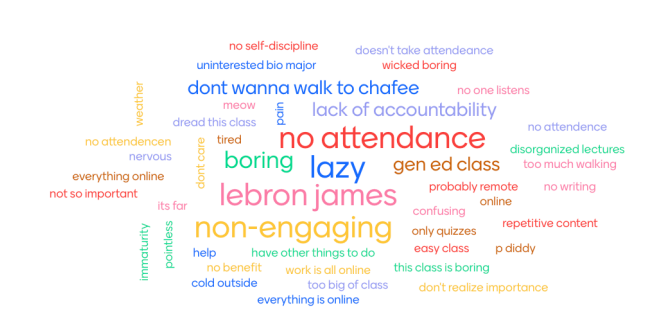
The feedback component of the Boot Camp remains entirely voluntary, resulting in much lower participation than the extra homework problems. This difference suggests that while students value the learning experience and the extra time to work on homework, without that incentive, it is much harder to get student interaction. Using the analysis of LibreChat, George noted interesting patterns in the feedback given, observing that Fall students (new to college) mentioned high school preparation more frequently, while Spring students (not new to college) provided more detailed and nuanced feedback about their learning experience. 

Q: What are the pros and cons of using LibreChat?

A: LibreChat offers free, accessible AI analysis capabilities for URI community members, though it lacks some advanced analytical features found in specialized tools like Insight Generator.

The primary advantages of LibreChat include its cost-free availability to URI faculty, staff, and students in the pilot, making it an accessible tool for educational analysis. George appreciates its straightforward interface and ability to process multiple sets of student responses simultaneously. However, George noted that LibreChat has some limitations compared to more advanced AI tools. One example he mentioned was Insight Generator, a ChatGPT feature that offers in-depth analysis of qualitative data such as student feedback. It highlights key themes, sentiments, and trends, providing structured summaries and visual insights. Unlike LibreChat’s general-purpose interface, Insight Generator is designed specifically for deeper data exploration and is available through a ChatGPT Plus subscription ($20/month) by uploading text and selecting it from the tools menu.

Student Experience & Feedback

While LibreChat serves as a valuable instructor tool for feedback analysis, direct student engagement with the AI-generated insights has been limited, though the tool’s indirect benefits are evident in course improvements. LibreChat effectively processes and analyzes student feedback to provide valuable insights for course improvement, however when George presented LibreChat’s comparative analysis of peer feedback to students, they showed minimal interest in the analysis.

However, the indirect benefits of LibreChat usage are more promising. The tool’s analysis has enabled George to make data-driven improvements to the Boot Camp structure and content delivery, which ultimately enhances the student experience even if students aren’t directly engaged with the analytical process. This suggests that LibreChat may be most effective as a behind-the-scenes instructor development tool rather than a direct student-facing resource, allowing faculty to refine their teaching approaches based on systematic analysis of student input.

Using LibreChat at URI

LibreChat is a pilot program that makes generative AI easy and accessible for the URI community. It offers a range of language models to support everything from content creation and brainstorming to data analysis and task simplification. You can request access to the LibreChat pilot with a brief justification. Once approved, log in via Microsoft MyApps Portal using your URI SSO and MFA. Visit the LibreChat service page for more details.

Resources:

Looking for a way to guide students through your course in a more structured way? Brightspace offers a feature called Release Conditions that helps you do just that. It allows you to tailor access to course content based on a student’s progress, performance, or group membership—making it easier to support learning at the right pace for each individual.

What Are Release Conditions?

Release Conditions are rules you can attach to content, activities, or even announcements in your course. When a student meets the condition—such as completing an assignment, achieving a quiz score, or being part of a group—they gain access to the next item. These conditions make it easier to deliver content in a logical sequence and provide individualized support when needed.

How Can Instructors Use Release Conditions?

Release Conditions give you simple ways to guide student progress, personalize learning, and create a more engaging course experience. Here are some practical ideas for how you might use them:

  • Keep students on track: Want to make sure students complete one module before moving on to the next? You can set conditions so content unlocks only after a previous activity—like a quiz or assignment—is completed.
  • Support students who need extra help: You can automatically show additional resources or practice activities to students who score below a certain percentage on a quiz, giving them a chance to review before moving forward.
  • Customize learning by group: Teaching multiple sections or using groups for projects? Release different instructions, readings, or activities based on group membership—all within the same course shell.
  • Motivate participation: Unlock feedback, extra credit, or bonus materials once students complete a discussion post or survey.

How to Set a Release Condition?

To set a Release Condition in Brightspace, simply edit the item you want to restrict, choose the appropriate condition—such as quiz completion or group membership—and save your changes.

Visit the how-to guide in the URI Knowledge Base for step-by-step instructions.

Tips for Using Release Conditions Effectively

Release Conditions can enhance your course when used thoughtfully. To make the most of this feature:

  • Let students know what to expect. Be clear about which activities unlock content and why—it builds trust and reduces confusion.
  • Use only when it adds value. Don’t overuse conditions. Apply them when they meaningfully support pacing, personalization, or participation.
  • Test from the student’s view. Use “View as Student” to ensure content appears as intended and that students won’t hit unexpected roadblocks.
  • Adjust as needed. If students seem confused or if conditions aren’t working as planned, don’t hesitate to revise them mid-course.

Release Conditions are a great way to help students stay organized, meet learning goals, and move through your course at a pace that works for them. If you’re interested in trying this out or want help brainstorming how it could fit your teaching style, please feel free to reach out to the IT Teaching and Learning Services team.

Brightspace by D2L is a robust and flexible learning management system (LMS) with tools that empower both educators and learners. Yet many of its best features often go unnoticed. Whether you’re a Brightspace veteran or a newcomer, here are some key tips and tricks to help you streamline your course management and elevate the learning experience.

Bulk Edit: Save Time with Course-Wide Adjustments

The Bulk Edit feature within a course’s Table of Contents allows instructors to quickly make changes to multiple content items at once—a major timesaver during course setup or mid-semester adjustments.

What You Can Do:

  • Rename multiple topics or modules.
  • Add or update due dates and availability settings.
  • Change visibility (e.g., hide/publish multiple items at once).

This is especially helpful after copying course content from previous terms and needing to quickly reset dates or update naming conventions.

Pro Tip: Use Bulk Edit in conjunction with Manage Dates (next section) for efficient pre-semester setup.

Go to Guide: Bulk Edit Modules & Topics

Icon representing a checkmark

Manage Dates: Keep Your Course Schedule in Sync

When transitioning your course from one semester to another, the Manage Dates tool is your go-to resource. It gives you a centralized view of all start, due, and end dates across:

  • Assignments
  • Quizzes
  • Discussions
  • Content modules & topics

You can easily shift all dates forward or backward using the Bulk Offset feature, or selectively adjust individual deadlines.

Go to Guide: Bulk Editing Dates using Manage Dates 

Icon representing calendar

Notifications: Stay Informed, Keep Students Engaged

Brightspace’s Notification System helps both instructors and students stay updated on important course activities. All new user accounts are configured to receive course announcement emails by default. Users may opt out of these notifications if they choose to.

Alerts Include:

  • Assignment submissions
  • Discussion activity
  • New content or announcements
  • Grade updates

You can choose to receive notifications via email, SMS, or both.

🎯 Instructor Insight: Instructors, please encourage your students to adjust notifications at the beginning of the semester. This significantly improves student engagement, reduces missed deadlines, and supports proactive learning habits.

Go to Guide:  Managing Brightspace Notifications

Icon representing notifications

Assignment Categories: Organize and Simplify Grading

Assignment Categories allow instructors to group related assignments under specific headings in the Assignments tool. While they don’t impact grading calculations (unlike gradebook categories), they provide:

  • Clearer structure for students
  • Easier navigation
  • Better course organization for instructors

Example: Group weekly reflections under a “Journals” category or segment quizzes by unit.

Note: Assignment categories are distinct and separate from gradebook categories. Assignment categories are purely for aesthetic purposes while gradebook categories serve a function.

Go to Guide: Assignment Categories

Icon representing structure and outline

Enabling Final Grades for Students: Ensure Visibility

By default, final grades in Brightspace are not visible to students. Final Grades do not have to be just for the end of the term, it can be a useful tool to show students where they stand in the course as the term progresses. To share them, you need to both calculate and release the final grade explicitly. 

Why It’s Useful:

  • Encourages self-monitoring: Students can track their progress in real time.
  • Reduces grade-related anxiety: No surprises at the end of the term.
  • Improves transparency: Shows how each activity contributes to the overall grade.
  • Supports formative feedback: Helps students understand where to improve.

Pros and Cons of Treating Ungraded Items:

  • Drop ungraded items:
    • Pro: Allows students to see a more realistic representation of their performance as ungraded items don’t artificially lower their grade.
    • Con: Instructors must manually enter zeros for incomplete items to ensure accurate final grade calculations.
  • Treat ungraded items as 0:
    • Pro: Ungraded items are automatically treated as zeros which eliminates the need for manual input by instructors.
    • Con: Any item that isn’t completed or has yet to be assigned will make the final grade inaccurately lower than the true performance of the student.

Go to Guide: Releasing Final Grades to Students

Icon representing final grade topic

Final Thoughts

With these Brightspace tips and tricks in your toolkit, you can simplify your course management, increase efficiency, and foster a more responsive and engaging learning environment for your students. 

But that’s not all! Don’t be afraid to explore the platform further as Brightspace is full of hidden gems waiting to be discovered.

Looking for step-by-step instructions? Be sure to visit our Knowledge Base or explore D2L’s Brightspace Community for detailed documentation, video walkthroughs, and community forums.

Education is about creating pathways to success for all students, and accessibility tools play a key role in making that possible. By offering inclusive learning support, we reduce barriers, embrace diverse learning styles, and promote a greater sense of belonging. As part of this commitment, we’re highlighting two valuable tools: ReadSpeaker and TextAid.

ReadSpeaker is a text-to-speech tool that allows students to listen to course content, including documents, pages, and quizzes – directly within Brightspace. It’s especially helpful for students with visual impairments, learning differences like dyslexia, or those who prefer auditory learning.

For expanded support beyond Brightspace, TextAid—a companion tool from ReadSpeaker—provides additional features such as writing assistance, translation, and annotation. Its browser extension also enables students to listen to web pages and personal documents, making it a flexible and valuable tool for both academic and everyday learning.

How to Access ReadSpeaker

ReadSpeaker in Brightspace – ReadSpeaker’s “Listen” button and options show up automatically throughout your Brightspace course pages or uploaded text documents.

TextAid Application – For more advanced learning support, students can use TextAid, a companion tool from ReadSpeaker. It extends accessibility support beyond Brightspace to personal study materials and even websites. TextAid requires a personal license. Contact the Office of Disability, Access, and Inclusion (DAI) for a license. 

What ReadSpeaker Does for Instructors

  • Supports inclusive teaching & UDL
  • Helps meet accessibility compliance
  • No setup required — built into Brightspace
  • Automatically works on most course content
  • Reduces the need to create separate audio files
  • Encourages self-paced, flexible learning
  • Promotes student independence and engagement
  • Enhances comprehension and accessibility in courses

What ReadSpeaker Does for Students

  • Listen to course content in Brightspace
  • Customize voice, speed, and text display
  • Read and listen at the same time
  • Use masking and highlighting to stay focused
  • Great for diverse learning needs (dyslexia, ADHD, ESL)
  • Access on desktop, tablet, or phone
  • Use TextAid for documents and web pages
  • Study on the go or offline (via MP3s, if enabled)

By integrating tools like ReadSpeaker and TextAid into our learning environment, we take meaningful steps toward making education more accessible, flexible, and supportive for all students. Whether you’re an instructor looking to enhance inclusivity in your course or a student exploring new ways to engage with content, these tools are here to help you succeed. If you have questions or need help getting started, don’t hesitate to reach out to the IT Teaching and Learning Services— we’re here to support you every step of the way.

New for 2025, the Course Merchant storefront provides a professional and user-friendly experience for the Brightspace Engage platform. Available to all URI departments and colleges, the combination of Course Merchant and Engage will allow students to easily search for available classes and submit payment. At the same time, these students’ Engage accounts will be created automatically, and they will be enrolled directly in their course, reducing administrative burdens on URI staff.

Engage is specifically designed for professional development, training, and non-credit bearing classes offered to the general public. To learn more, and discover what Engage can offer you, please reach out to the the IT Teaching and Learning Services team for a consult.


CCR AI/ML Seminar: Machine Learning Approaches for Characterizing Global Sea Surface Temperature Fields

The Center for Computational Research is planning a series of monthly talks on AI/ML techniques and applications across various scientific domains. We envision the talks to strike a good balance between depth and breath. The goal of these talks will be to (i) introduce the particular AI/ML technique to fellow faculty and graduate students who have a basic understanding of deep learning and (ii) present a variety of applications in different domains without assuming deep domain knowledge. Each event will start with a 45 minute talk with 15 minutes for questions and a subsequent 30 minute networking session for brainstorming and further discussion. The speakers will be URI faculty from a number of colleges.

Details on the first talk appear below.

Speaker: Peter Cornillon (GSO)
Date/Time/Location: May 1st, 3pm, 112 East Hall.
Title: Machine Learning Approaches for Characterizing Global Sea Surface Temperature Fields
Abstract: Sea surface temperature (SST) fields derived from satellite-borne sensors offer an ideal dataset for exploration using machine learning techniques. In this presentation, I will describe the use of an auto-encoder, in combination with a flow equalization technique, to identify outliers in a 20-year, global, twice-daily archive of SST fields. I will then demonstrate how this same approach can be applied to evaluate the performance of a global ocean circulation model.
Switching gears, I will introduce a machine learning model based on contrastive learning applied to the same SST datasets—this time to uncover and categorize fundamental spatial patterns within the fields. Finally, I will briefly touch on an analysis of the latent space produced by the contrastive learning model, with a focus on estimating the intrinsic dimensionality of SST field variability.